
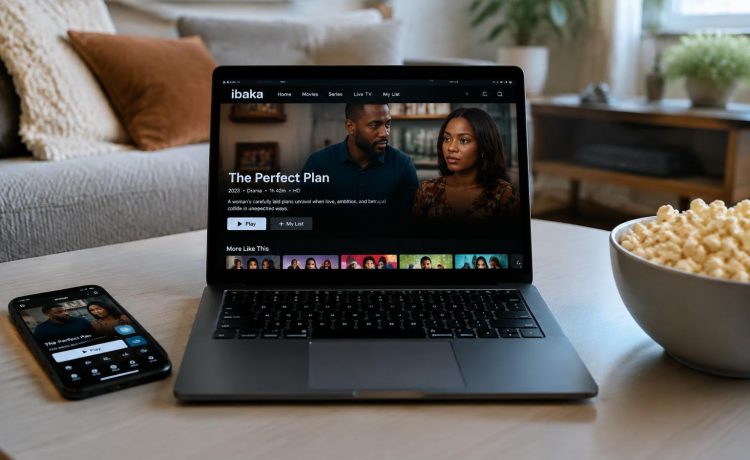
Nollywood films reach viewers through official streaming services, broadcaster apps, and licensed video channels, with some titles available at no cost. You can watch legally by choosing platforms that have permission to distribute the films, rather than relying on unauthorized uploads. Availability varies by country and title, so a free option in your region might include ad-supported movies or selected films from a Nigerian broadcaster.
Legal Free Streaming Options for Nollywood Movies
Free, legal Nollywood viewing is available through services that have permission to distribute each film, with access often supported by advertising or a broadcaster’s own programming. Availability varies by country and title, so a film you find on one service may not appear in another region. Look for an official channel or service listing, and note whether playback is on demand or scheduled. These distinctions help you identify the source and format before pressing play.
YouTube Channels and Official Film Uploads
YouTube hosts Nollywood films uploaded by production companies, distributors, and broadcasters on their verified or clearly identified official channels. Search the film title alongside the rights holder’s name, then open the channel page to confirm the uploader’s identity and other releases. Full-length films may include commercial breaks, and catalogs change as licensing arrangements shift. Channels such as Africa Magic’s official YouTube presence publish Nollywood-related video, though the available films depend on location and current rights.
Ad-Supported Streaming Services
Ad-supported platforms offer selected Nollywood titles without a subscription, with advertising shown before or during playback. Services such as Tubi and Plex carry African and Nigerian films in some markets, but their catalogs differ by country and change over time. Search within each service for Nigerian cinema, then check the film’s description and playback page for its availability. You can expect free viewing to include platform ads rather than a rental charge.
Broadcasters’ Websites and Apps
Broadcasters sometimes stream Nigerian films or related programming free through their official websites and mobile apps. Africa Magic, for instance, publishes Nollywood content through its digital channels, while national broadcasters may offer locally licensed titles in catch-up libraries. Availability depends on the broadcaster’s rights and your location, and some apps require a free account before playback. Use the broadcaster’s own domain or app listing, and look for film pages marked as available to stream without payment.
Paid Platforms with Free Viewing Options
Subscription services sometimes provide limited ways to watch without an immediate payment, though availability depends on your country, account status, and the platform’s current catalogue. For Nollywood films, the free viewing window may come through a trial, an ad-supported tier, or a title temporarily included at no extra cost. Check the film’s listing and the offer terms before pressing play, since a promotional period can convert to a paid plan when it ends.
Free Trials and Promotional Access
During a free trial, you can stream titles included in the service’s standard catalogue, including Nollywood films where available in your region. Confirm that the specific film is included before signing up, since a trial does not necessarily cover rentals or premium add-ons. Review the trial end date, renewal price, and cancellation steps on the checkout screen, then set a reminder if you do not intend to continue the subscription.
Free Tiers and Rotating Catalogs
Some subscription services offer an ad-supported tier or make selected films available to viewers without an active subscription. Search the platform’s Nollywood category and look for a free-to-watch label on the individual title, because catalogue access can vary by location and change over time. Rotating selections mean a film available at no charge today may later require a subscription, so note the listing’s access terms before starting a movie.
How to Verify a Streaming Source Is Legal
Before pressing play, identify who operates the service and how it presents each Nollywood title. A legitimate platform typically names a company or broadcaster, provides contact and terms pages, and distinguishes licensed films from user uploads. Film details such as the production company, release year, and credited cast should be consistent with official film or distributor information. Treat a clear chain of attribution, from the service to the rights holder, as stronger evidence than a film’s mere availability.
Official Distribution and Licensing Signals
Look for a film page that names its distributor, production company, or rights partner, and check whether that organization identifies the platform as an authorized outlet. Established services often link to company information, licensing terms, or a verified channel operated by a broadcaster or producer. A Nollywood title appearing on a producer’s official YouTube channel, for instance, has a clearer source than the same film uploaded by an unnamed account. Match the film’s title and credits against the rights holder’s own catalogue.
Warning Signs of Unauthorized Sites
Unclear ownership is a strong warning sign: a site that offers recent cinema releases without naming an operator, distributor, or rights holder gives you no way to verify permission. Be wary of pages filled with duplicate uploads, inconsistent titles, or descriptions that credit no production company. A catalogue that combines Nollywood films with newly released titles from unrelated studios, yet provides no licensing information, deserves particular scrutiny. Search the film title alongside its production company to see whether the company recognizes the service.
Watching Safely on Different Devices
Legal streaming services deliver Nollywood films through different apps and web players, so the safest setup depends on the screen you use. Keep your device’s operating system and browser updated, and install streaming apps only from the official app store or the service’s own website. On shared devices, sign out when you finish watching and avoid saving passwords in a public browser. These steps apply whether you stream over home Wi-Fi or a mobile connection.
Browsers, Smart TVs, and Mobile Apps
On a laptop or desktop, open the service’s official website in an up-to-date browser and confirm the address before signing in. Smart TV apps should come from the television’s built-in app store, where you can review the publisher before installation. On a phone or tablet, use the platform’s verified app rather than a link in an unsolicited message. If a TV does not support the app, casting from your phone through Chromecast or AirPlay keeps playback within the official service.
Privacy, Ads, and Account Security
Free legal services often fund playback with advertisements, so expect ad breaks inside the player rather than requests to install an unfamiliar extension or download a video file. Use a unique password for your streaming account, enable two-step verification if offered, and avoid signing in on shared or public devices. On mobile, review app permissions and deny access to features the service does not need, such as your contacts or microphone. A secure connection should show HTTPS in the browser address bar.
Finding Nollywood Films You’ll Enjoy
Your preferences give you a practical starting point: decide whether you want a comedy, family drama, thriller, or romance, then narrow your search by filmmaker or cast member. A director whose storytelling you enjoy can lead you to related titles, while an actor’s filmography reveals roles across different genres. Use search filters and category labels to move from broad choices to specific films, such as a recent comedy directed by a filmmaker you already know.
Search Tools and Film Categories
Search bars on streaming services usually accept film titles, actors, directors, and genre terms, so combine details when a broad search returns too many results. Category pages for drama, comedy, romance, and action offer another route, while curated collections can surface titles grouped by theme or filmmaker. If you know a performer’s name but not a particular film, search that name and scan the results for their credited roles.
Nigerian Languages and Regional Cinema
Language filters and subtitle labels help you find films in Yoruba, Igbo, Hausa, and other Nigerian languages. Search using the language name alongside a genre or performer, since catalogues do not always group regional cinema consistently. You can also look for films associated with specific production centres, such as Yoruba-language titles from southwestern Nigeria or Hausa-language films linked to northern Nigeria, then check the audio and subtitle details on each title page.
Final Words
Legal free options let you watch Nollywood films without relying on unauthorized uploads. Start with official broadcaster channels, ad-supported streaming services, and free sections of established platforms, then confirm that the title is available in your country. Look for verified distributor or filmmaker accounts, and avoid sites that conceal ownership or prompt suspicious downloads. With the platform and source confirmed, you can enjoy a classic drama, a recent comedy, or a new release through a legitimate stream.
